

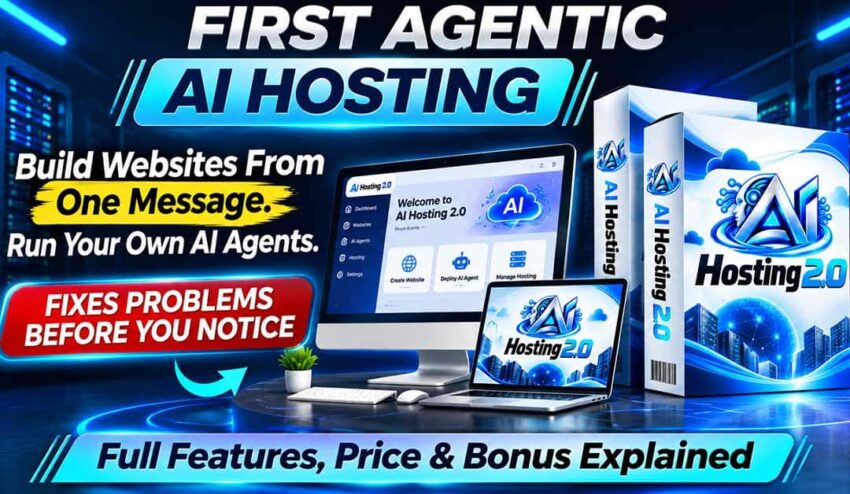
This AI Hosting 2.0 review is based on the product’s available sales information with its advertised features, pricing and published terms. I am making it clear that I have not tested the platform personally so I won’t be able to distinguish between what the vendor claims and what will need to be verified through hands-on use.
The main goal is to help you in understanding what you are buying, what limitations need to be considered and if AI Hosting 2.0 is worth your money.
AI Hosting 2.0 Review: Quick Verdict
AI Hosting 2.0 is an AI-powered hosting and website management platform which is designed for helping users in building, hosting and managing websites with less manual technical work.
The current AI Hosting 2.0 price of $14.94 one-time price with a 30-day money-back guarantee is its biggest attraction point. The platform also offers AI-assisted website creation, hosting management, security, backups and automation.
And make it sure that your decision is not made on the only factor of the low upfront price. The platform itself clarifies that the ‘unlimited’ usage is on the basis of practical limits and fair-use rules. AI-generated content and other AI features are also dependent on the included credits or your own API key.
AI Hosting 2.0 can be appealing for website owners who need hosting and AI tools in one place but its actual performance, resource limits and suitability for important business websites need careful evaluation.
AI Hosting 2.0 at a Glance
|
Detail |
Information |
|
Product name |
AI Hosting 2.0/ AI Hosting |
|
Product category |
AI-powered hosting and website management |
|
Advertised price |
$14.94 |
|
Payment model |
Advertised as one-time payment |
|
Money-back guarantee |
30 days, subject to the applicable terms |
|
Main purpose |
Build, host and manage websites with AI assistance |
|
Technical skills |
Marketed toward beginners as well as experienced users |
|
Best suited for |
Website owners, bloggers, creators, freelancers and agencies |
|
Main concern |
Actual hosting limits, AI credits, reliability and long-term suitability |
The price and guarantee mentioned is as per the information available on the official sales page. And it is stated by the platform that the one-time lifetime access is not guaranteed unlimited system resources or unrestricted usage.
What is AI Hosting 2.0?
Imagine that you are thinking of launching a website for your business. You would need hosting, a domain connection, security, backups and possibly a website builder. But you might need additional tools for adding ai chatbots or automating content creation.
And if you are a beginner then managing all these pieces can become expensive and time-consuming.
AI Hosting 2.0 tries to simplify the process by bringing hosting and AI-assisted website management under one single platform. The sales page promotes a system which helps users in creating websites, managing hosting tasks and automating parts of their online workflow.
The appeal is pretty straightforward:
You do not have to handle every technical task manually as you will get to use AI-assisted tools for reducing some of the work.
But there is something that you need to understand:
A platform offering automation is not the same thing as eliminating the need for human oversight. You would still need to check the quality of your website, verify the important features are working correctly and ensure that your business data remains protected.
And this is the reason why this AI Hosting 2.0 review is going to look past the sales pitch.
How does AI Hosting 2.0 work?
The workflow of AI Hosting 2.0 can be understood in three broad steps:
a. Set up your hosting
The platform offers a cloud-based dashboard in order to manage websites and related hosting functions and it has tools which includes domain and DNS management, SSL, databases, email, backups and migration.
A beginner can find website management easy by having these tools accessible from one place. But also you need to make sure that the hosting resources and supported applications are meeting your specific requirements before moving an existing website.
b. Use AI for building and managing online projects
The sales page offers AI-assisted website creation and management with capabilities for online stores, apps, chatbots and automation workflows along with content creation and AI-related website optimization.
These features can be useful for launching a simple business website or experimenting with AI-assisted online projects.
And you will still need to review the AI-generated website and content. You might have to correct inaccurate information, improve the design, test forms, check mobile layouts and make sure that your website is easy for visitors to use.
c. Managing and maintaining your website
AI Hosting 2.0 offers hosting management features like security tools, backups, CDN delivery and automated optimization along with tools for managing website content and workflows.
The mentioned capabilities do sound useful but the marketing claims are not the same thing as independently verified performance. You need to test backups, restoration, uptime, loading speed, support response and the features that you expect to use the most before fully relying on the platform for a business-critical site.
Key features of AI Hosting 2.0
I am listing down the main capabilities that are advertised by the official sales page of AI Hosting 2.0 and what they can mean for a buyer:
A. AI-assisted website creation
It lets users create online projects through instructions instead of handling each and every step by yourself.
It can help beginners in getting a website started faster.
You need to check how much editing is needed, if the generated pages are looking professional and if you can customize the result without any unnecessary difficulty.
B. Website hosting and management
You get website and domain hosting through a centralized dashboard along with tools that handle tasks like DNS, SSL, databases, email, backups and migration.
It becomes more convenient to manage several hosting tasks from one place.
You need to check the practical resources limits, performance under traffic, supported applications and how easily you can move your website anywhere else if required.
C. AI chatbots and automation
This feature helps website owners in handling certain repetitive tasks.
The chatbots can help in answering common visitor questions and collecting leads, provided that they are configured correctly.
You need to check if the chatbots are answering accurately, how it is trained, what integrations are available and if additional AI usage costs apply.
D. Content creation and AI optimization
You are also getting AI-related content tools and website optimization capabilities.
The tools can help creators in producing initial content and managing parts of their publishing workflow.
You need to check the content quality, editing requirements, publishing controls and if the optimization features are producing measurable improvements.
Keep in mind that the AI-generated content is not going to rank automatically in search engines. Helpful information, originality, accuracy and a good user experience will still matter.
E. Backups, security and migration
You also get security features, SSL, backups and website migration tools.
These are some essential hosting functions and not merely optional extras.
You need to check if backups can be restored successfully, how often they are running, what security protections are included and if the migration process works with your current hosting setup.
What AI Hosting 2.0 can help you do?
The product’s advertised capabilities offer several potential use cases:
- Bloggers can host a website and manage its basic technical requirements
- Affiliate marketers can build websites for different niches and publish useful content
- Freelancers can manage websites for clients, subject to the actual resource limits and terms of the platform
- Small businesses can establish an online presence and add chatbot functionality
- Agencies can explore a centralised way of managing multiple websites and client projects
- Beginners can experiment with website creation without the need of handling every technical task manually
These should be seen as potential use cases and not guarantees of better performance or higher income.
Your results will be dependent on the actual capabilities of the platform , your skills, your website’s purpose and the work you are putting into it.
My 21-day evaluation plan
Keep in mind that I have not personally tested AI Hosting 2.0 for 21 days, so the following practical evaluation shows how a buyer can assess the platform before moving important websites onto it.
Days 1 to 3: Explore the dashboard
You should check how easy it will be to access hosting settings, connecting a domain and locating essential tools and determine if the interface is understandable for your experience level.
Day 4 to 7: Create a test website
Now, you should try the AI website-building workflow and check the design, mobile responsiveness, navigation, forms and how much manual editing is needed.
Day 8 to 11: Test hosting essentials
Then check SSL, website loading, domain settings, email if needed, backup options and the restoration process, and please avoid migrating a critical website until you are confident about the working of essentials.
Day 12 to 15: Evaluate AI features
Test any of the AI tools that are included in your account and review the quality of generated content, chatbot responses, and automation behavior, and also check your available credits and if external API usage can cost extra.
Day 16 to 18: Check limits and support
Carefully read the usage policy, confirm what ‘unlimited’ means in practice, and contact support with a specific question and then record your response time and if the answer is resolving your issue.
Day 19 to 21: Make the buying decision
Finally, compare the results with your already existing hosting service and decide if the features, reliability, usability and any additional costs justify switching or keeping the platform.
The pan is an illustrative testing process and should not be considered evidence that these tests have already been completed or passed.
AI Hosting 2.0 Complaints
While going through AI Hosting 2.0 complaints, it is very important that you separate verified product limitations from unconfirmed customer allegations. I am not able to find reliable evidence which I can label as AI Hosting 2.0 complaints. But that does not mean that there are no AI Hosting 2.0 complaints, it is just that I am not going to publish unverified customer experience and label them as complaints.
There are some limitations that need to be considered:
a. ‘Unlimited’ does not mean unlimited resources
The sales page advertises unlimited websites and domains but the terms itself clarifies that ‘unlimited’ means high practical usage and not unrestricted access and hosting or credit limits may apply.
This means that if you are planning to host many websites or resource-heavy projects then you need to ask for the actual limits before switching.
b. AI features may have usage limits
AI-related functions are dependent on included credits and using an external AI API might involve additional charges.
This means that a low upfront cost should not be thought of as unlimited AI generation at no additional cost.
c. Reliability needs real-world testing
The sales page offers security, automated backups, speed optimization and other hosting features and the available marketing material does not establish uptime, loading speed under heavy traffic or long-term reliability.
This means that you need to test the platform before fully relying on it for an important business website.
d. Lifetime access has a specific meaning
The terms says that the lifetime refers to the lifetime of the product which is typically three years in the industry context. They also reserved the right of modifying or discontinuing features.
It means that you should not think of ‘lifetime access’ as a guarantee that each and every feature or the service itself will be operating indefinitely.
e. The refund guarantee has conditions
AI Hosting 2.0 offers a 30-day money-back guarantee and also states that the refund might be refused if more than 50% of the usage limit has been consumed or certain hosting-space, bandwidth and hosted-data conditions apply.
This means that you would need to read your refund terms before making a purchase and should avoid making the assumption that every type of usage will qualify for a refund.
AI Hosting 2.0 Price
The current AI Hosting 2.0 price is $14.94 with a 30-day money-back guarantee.
You need to consider the following things before paying:
- The one-time offer is attractive if it is including the hosting capabilities that you actually need
- You might get optional AI Hosting 2.0 upgrades, so you should review the checkout carefully instead of assuming that every additional feature is included
- AI usage, practical hosting limits and third-party services might affect your total cost
- The refund policy has usage-based conditions so read the official refund policy carefully.
The platform also offers an optional Business upgrade for $9.95. You should treat it as a separate advertised offer and thus should not be considered as a requirement for purchasing the core product.
You need to confirm the current checkout details before making a decision.

Can you make money with AI Hosting 2.0?
The platform offers agency and client-hosting use cases which includes managing websites for clients.
This can provide a business opportunity to someone who knows how to find clients, maintain websites and provide support. But you should not think that just by buying the hosting software, you are not going to generate customers or recurring revenue.
Your earnings should be dependent on the factors like:
- Your ability of attracting and retaining clients
- The quality and reliability of your hosting service
- Your pricing and support costs
- The platform’s actual resource limits and performance
You should not be treating the income examples displayed on the sales page as guaranteed or typical results.
It would be better if you start with a small test project and establish that the service will work reliably before you offer it to paying clients.
AI Hosting 2.0 strengths and weaknesses
|
Strengths |
Weaknesses |
|
Low advertised entry price of $14.94 |
Actual performance has not been independently verified here |
|
Hosting and management tools in one dashboard |
‘Unlimited’ usage is subject to practical limits |
|
AI-assisted website creation is advertised |
AI usage might involve credits or external API costs |
|
SSL, backups and migration tools are advertised |
Reliability and restoration would need testing |
|
Can suit beginners and website managers |
Lifetime access does not mean that you get guaranteed indefinite service |
|
30-day money-back guarantee advertised |
Refund eligibility has usage-based conditions |
Who should buy AI Hosting 2.0?
AI Hosting 2.0 is best for you if you:
- Are interested in experimenting with AI-assisted website creation
- Are managing several small websites
- Are a freelancer or agency owner who is looking for hosting-management tools
- Understand that AI outputs need review and that hosting limits matter
- Are comfortable in testing a platform before trusting it with important projects
You can skip buying AI Hosting 2.0 if you:
- Need independently verified uptime and performance guarantees
- Run a high-traffic or mission-critical website that cannot tolerate disruption
- Expect unlimited AI generation without usage limits or additional costs
- Need guaranteed lifetime service with no possibility of feature changes
- Prefer an established hosting provider with a long, independently documented track record
Final Verdict
AI Hosting 2.0 offers solution to a genuine problem:
Website owners need multiple tools and technical processes for building and maintaining an online presence.
It is very appealing because of its combination of hosting, AI-assisted website creation, management tools, backups and security at just $14.94 entry price. The real value is dependent on how well these features are performing, which limits are applying to your account and if the included tools are able to meet your needs.
The biggest question is not just:
If AI Hosting 2.0 is cheap?
But they are:
- If it can host your websites reliably?
- If its AI features are useful in practice?
- If its resource limits fit your workload?
I would advise you to consider it for experimenting or a small and not so critical website if the advertised features are matching your needs.
You should be testing the essential functions early, understand the refund conditions and avoid moving important websites until you have verified reliability.
The low AI Hosting 2.0 price of $14.94 makes it worth investigating and your purchase is actually dependent on the demonstrated performance and not on the promise of unlimited hosting alone.
So, my overall rating for AI Hosting 2.0 is 4/5.